
HubSpot to Salesforce Migration: The Step-by-Step Guide (With Real Data & Practical Field Mappings)
Plan your HubSpot to Salesforce migration with practical field mappings, the right import order, data validation checks, and a final go-live checklist.
Migration Guide · · Updated
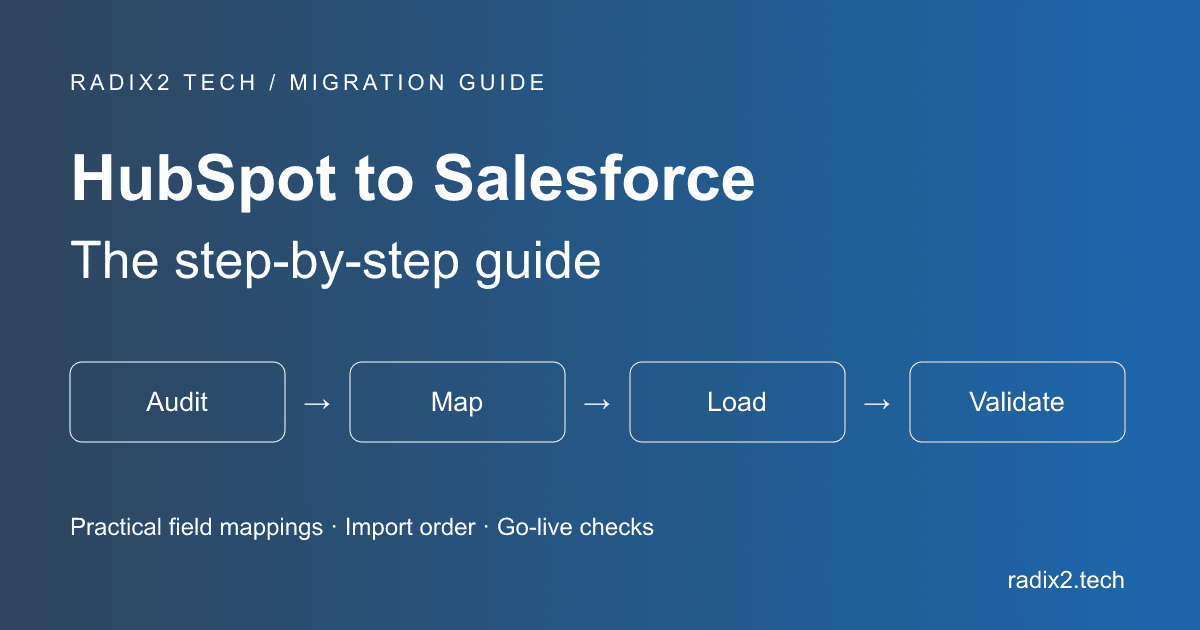
Switching your CRM from HubSpot to Salesforce is usually a headache. Most teams put it off until they simply hit a wall where HubSpot can’t keep up with their custom billing models, territory routing, or multi-team sales workflows.
On paper, moving platforms looks easy: export a few CSVs from HubSpot, line up your columns, and import them into Salesforce. But anyone who has actually run a live migration knows what happens next. You run into hundreds of Data Loader errors because someone entered phone extensions in the wrong format, multi-select picklists turn into a semicolon nightmare in Excel, and reps suddenly lose account context because deals get orphaned.
If you’re preparing for a migration, here is the no-fluff playbook on how to audit, clean, map, and load your real data into Salesforce without losing deals or interrupting active sales cycles.
Why Consider Migrating from HubSpot to Salesforce?
HubSpot is fantastic for getting marketing and sales aligned early on. But as a business scales past 50 to 100 sales reps, a few structural bottlenecks usually push teams toward Salesforce:
- Granular Role & Territory Hierarchy: Salesforce gives you complete control over field-level security and complex territory splitting. If an SDR in EMEA shouldn’t see deal values for an enterprise account in North America, Salesforce handles that natively.
- True Relational Architecture: If your product relies on complex multi-tiered parent-child relationships (like holding companies with 15 subsidiaries, multiple billing entities, and custom product catalogs), Salesforce’s custom objects and junction objects handle it with far less friction.
- Deep ERP & Tech Stack Integration: Enterprise ERPs like SAP, NetSuite, or custom CPQ pricing engines were built with Salesforce-first integrations in mind.
When Should You Make the Move?
Don't migrate just because enterprise companies use Salesforce it adds genuine administrative overhead. You should only greenlight a migration when you hit clear operational triggers:
1. Your sales org is split into specialized pods: Moving from generalist reps to specialized SDRs, AEs, AMs and Solution Engineers that require custom page layouts, validation rules, and automated round-robin routing.
2. Your reporting requires cross-object logic: When HubSpot custom reports cannot pull the exact multi-touch attribution or product consumption data your executive team asks for each Monday.
3. You’re trying to fit round pegs in square holes: When you discover your team is hacking custom text properties in HubSpot to track complex assets, software licenses or subscription contracts.
3 Ways to Migrate from HubSpot to Salesforce
Depending on your budget, internal Salesforce expertise, and database volume, here are the three common migration paths:
| Migration Option | Best For | Real-World Tradeoffs |
|---|---|---|
| 1. Manual CSV Load (Salesforce Data Loader) | Databases under 50k records; Teams with an in-house admin | Lowest software cost. This will give you full control over field cleaning, but requires some careful ID lookup mapping in Excel. |
| 2. HubSpot-Salesforce Native Sync Connector | Phased rollouts; Keeping HubSpot for Marketing | This will keep systems in control during the transition. However, syncing unorganised legacy data will just duplicate junk records in Salesforce too. |
| 3. Certified Salesforce Consulting Partner | Enterprises with 100k+ records, Custom objects & complex CPQ | This has the Highest upfront investment, but this will eliminate the risk of pipeline downtime, broken lookups, or botched reporting. |
Step-by-Step Checklist for Migrating Real Data
Step 1: Audit and Prune Your HubSpot Database
Never migrate dirty data. A CRM migration is your one chance to eliminate years of accumulated junk:
- Cut the Dead Weight: Filter out contacts with zero activity in the last 18–24 months, hard bounces, and unsubscribes. Export them to cold storage (CSV/Data Lake), don't load them into active Salesforce storage.
- Deduplicate by Root Domain and Email: Merge duplicate company accounts using website root domains (e.g., standardizing 'www.acme.co/home' to 'acme.co') and contacts by primary email.
- Clean up picklists in spreadsheet First: Salesforce validation will not allow you to enter a country or state code or values that are not the official standard ISO codes (e.g. 'Calif.' vs 'CA').
Step 2: Practical Field Mapping & Schema Setup
The biggest mental shift is the Lead vs. Contact/Account split. In HubSpot, everyone is a Contact. In Salesforce, you must decide whether a record is an unqualified prospect (Lead) or someone tied to an existing Account (Contact).
Always create a custom text field in Salesforce called HubSpot_Original_ID__c (mark it as Unique and External ID) on Accounts, Contacts, Leads, and Opportunities. This is the glue that keeps your lookups linked.
| HubSpot Source Property | Salesforce Object | Salesforce Target Field | Transformation / Logic |
|---|---|---|---|
| Record ID (hs_object_id) | Account / Contact / Opp | HubSpot_Original_ID__c | External ID. Required for linking children to parents. |
| Company Name | Account | Name | Required standard field. |
| Company Domain | Account | Website | Clean root domain used for duplicate rules. |
| Lifecycle: Lead / Subscriber | Lead | Standard Lead object | Map unqualified top-of-funnel contacts to Leads. |
| Lifecycle: Customer / SQL | Contact | Standard Contact object | Map qualified people under parent Accounts. |
| Deal Amount | Opportunity | Amount | Strip $, commas, or currency symbols. |
| Deal Stage | Opportunity | StageName | Must match the active Salesforce Stage picklist exactly. |
| HubSpot Owner Email | All Objects | OwnerId | XLOOKUP against active 18-digit SFDC User IDs. |
Step 3: The Load Order Matters (Don’t Skip Ahead)
Salesforce refuses to take shortcuts with relational data. Load your deals before your accounts are built, and the system simply throws a batch error because those deals have nothing to cling to.
To save yourself from fixing thousands of unlinked records manually, push your data through in this exact order:
- 1. Provision your users upfront: Before you import a single customer row, get your reps and admins set up in Salesforce. You'll want their 18-digit User IDs in hand so record ownership stays with the right rep instead of getting dumped onto whoever ran the import.
- 2. Push Accounts first (HubSpot Companies): Get your company records into the system. The moment the Data Loader is done, grab that success export. Those freshly minted Salesforce Account IDs are the keys you'll need for the rest of your files.
- 3. Map and import Contacts: Open your contact spreadsheet and use XLOOKUP feature so that you can compare each person's hubspot company ID to the newly created Salesforce Account ID. Import them directly into the Contact object after filling out that lookup column.
- 4. Separate out raw Leads: Any subscribers who are not in any contact list and are not associated with any company will belong to the lead pool.
- 5. Load Opportunities (HubSpot Deals): It is also important to do a quick spreadsheet lookup and link each pipeline deal to its original or parent Account ID, then fire up the import.
- 6. Finish with past notes and activity history: Leave logged calls, tasks, and historical notes for the very end. Use WhatId to tie them back to Accounts or Opportunities, and WhoId for individual Contacts and Leads.
Common Pitfalls to Watch Out For
- Forgetting to Turn Off Flows & Triggers During Import: If your Salesforce instance has active Record-Triggered Flows, auto-assignment rules, or email alerts, Data Loader will trigger them on every single inserted row. You will accidentally spam thousands of contacts. Always set Email Deliverability to 'No Access' or 'System Email Only' during data loading.
- Rebuilding Broken HubSpot Processes in Salesforce: Don't just copy bad habits into a new CRM. If your team had 14 dead deal stages in HubSpot that nobody used, use this migration to simplify your pipeline down to 5 or 6 clear stages.
- Overlooking Multi-Select Picklists: HubSpot exports multi-select values separated by semicolons. If you open and edit that CSV in certain spreadsheet tools, they get converted into commas, which will crash your Salesforce Data Loader batch.
- Skipping End-User Training: If your reps don't know how to log an activity or convert a lead on Day 1, adoption will collapse and data quality will immediately decay.
Post-Migration Sanity Check: Don't Hand Over the Keys Just Yet
Before letting your sales team log in, make sure your pipeline numbers didn’t get mangled during the transfer. Run a quick summary report in both HubSpot and Salesforce, then check three core numbers:
- Closed-Won Revenue: Pull your year-to-date won revenue in both CRMs. They should match down to the penny.
- Open Pipeline Value: Check your active deal totals across all stages to ensure no deal values dropped during import.
- Account Counts: Compare total active companies in HubSpot against total Accounts in Salesforce to confirm no parent records were missed.
Final Go-Live Checklist
- [ ] Double-check the math: Ensure total revenue from the pipeline and the closed-won values match exactly across both platforms
- [ ] Spot-check 10–20 random accounts: Click into a few high-value accounts and verify that contacts, meeting notes, and open deals are linked properly.
- [ ] Turn your automations back on: Re-activate your Salesforce Flows, validation rules, and lead routing.
- [ ] Fix email deliverability: Switch Salesforce Deliverability from System Only back to All Email so reps and prospects get notifications.
- [ ] Update your website forms: Repoint demo request forms and landing pages to Salesforce.
- [ ] Run a test drive with 2–3 reps: Have a few reps log a call, convert a lead, and move a deal before opening the doors to the whole team.
Frequently Asked Questions (FAQ)
How long does a real HubSpot to Salesforce migration take?
For a mid-sized business with 50,000 to 150,000 records, expect 4 to 6 weeks. That includes auditing data, building custom fields in Salesforce, sandbox testing, running the final delta sync over a weekend and training reps.
Will we lose historical email and meeting notes?
No, not really, if you export HubSpot Engagements and map them to Salesforce Task and Event objects using WhatId and WhoId lookup fields.
Can we keep HubSpot for marketing and use Salesforce for sales?
Yes. HubSpot has a native Salesforce connector that allows you to sync over MQLs into Salesforce as Leads and allow your sales reps to work only within Salesforce.